How I Reduced AI Coding Agent Token Waste by 70%

AI coding agents often read more code than necessary.
When a developer asks a simple question about a function, the agent searches multiple files, opens entire source files, and fills the context window with irrelevant tokens.
Usually, with a bigger codebase, it takes a lot of time to execute, consumes more tokens, and costs more. After seeing this, we may feel that we could have just searched and found the answer in seconds.
Let's understand why it happens, how we can optimize it, and how we can use the agent effectively.
Before we explore how to solve this, we should understand how AI agents do their work.
How Does an AI Agent Work in a Codebase?
Whenever an instruction is given to the agent, it reconstructs code relationships at runtime.
Suppose the repository contains 500 files of 100,000 lines.
It does not send all 100,000 lines to the model at once.
Instead, it builds context step by step.
The agent runs grep, rg, and other search commands.
Even if it uses LSP support, this can cause full file reads, which waste tokens, compute, cost, and time.
Suppose you ask an AI coding agent:
"Trace the call chain of
GetUser()"
A standard coding agent starts with a text search.
Step 1 — The agent searches for GetUser across all files using grep or ripgrep.
Step 2 — The search returns user_service.go as a match. The agent reads the file.
Step 3 — Inside user_service.go, the agent sees a call to UserService.Get(). The agent searches for that next.
Step 4 — The search returns service.go. The agent reads the file.
Step 5 — Inside service.go, the agent sees a call to repository.Find(). The agent searches for that next.
Step 6 — The search returns repository.go. The agent reads the file.
Step 7 — Inside repository.go, the agent sees the database query. The exploration ends.
If the codebase is huge, then it will do even more searching and reading, basically consuming a lot of unwanted code.
Searches        2,000 tokens
File reads     15,000 tokens
Search results  5,000 tokens
Reasoning       3,000 tokens
----------------------------
Total           25,000 tokens
What Actually Goes Into the LLM Context?
The LLM receives the intermediate information produced during exploration.
Search result, file content, new symbol, another search, and it goes on.
The final relationship is small, but the agent consumes a much larger amount of context to discover it.
This is where codebase-memory-mcp helps.
How Using Codebase Memory MCP Helps Reduce Tokens
codebase-memory-mcp is not an AI model that understands your codebase.
It is a local code parser, a static-analysis layer, a graph database, and an MCP server.
Basically, it is a mixture of all findings in a single place.
For example:
// user.go

func GetUser(id int) User {
    return repository.FindUser(id)
}
and:
// repository.go

func FindUser(id int) User {
    ...
}
Instead of sending all the source code to the LLM, Tree-sitter parses the code and extracts structural information:
Function: GetUser
Function: FindUser
Call: GetUser → repository.FindUser
Tree-sitter provides the syntactic AST and identifies definitions, calls, imports, and other structural facts.
Program Fact Extraction
The important idea is to compute deterministic facts once rather than asking the LLM to rediscover them repeatedly.
For example:
A CALLS B
B DEFINES C
D IMPORTS E
route X → handler Y
The tool stores these facts and reuses them.
The expensive work runs once, and queries then become cheap.
The fundamental principle:
Do not repeatedly make the AI rediscover deterministic information. Compute it once, store it structurally, and let the AI query the result.
Hybrid LSP Semantic Resolution
Tree-sitter alone provides a syntactic AST.
It handles naming, structure, and call sites well.
However, it cannot always determine the exact semantic target.
For example:
user.profile.display_name()
Tree-sitter identifies:
display_name()
But it does not know which display_name() this refers to.
The semantic layer resolves the actual target.
The architecture works on two layers. Both LSP and Tree-sitter combine.
This produces more meaningful relationships than text matching alone.
MCP-Based Code Intelligence
The graph is stored locally, and the tool exposes it through MCP tools.
The database performs the traversal.
The LLM does not perform the traversal.
The MCP server exposes tools for:
- Search
- Tracing
- Architecture
- Impact analysis
- Graph queries
- Dead-code detection
- Cross-service relationships
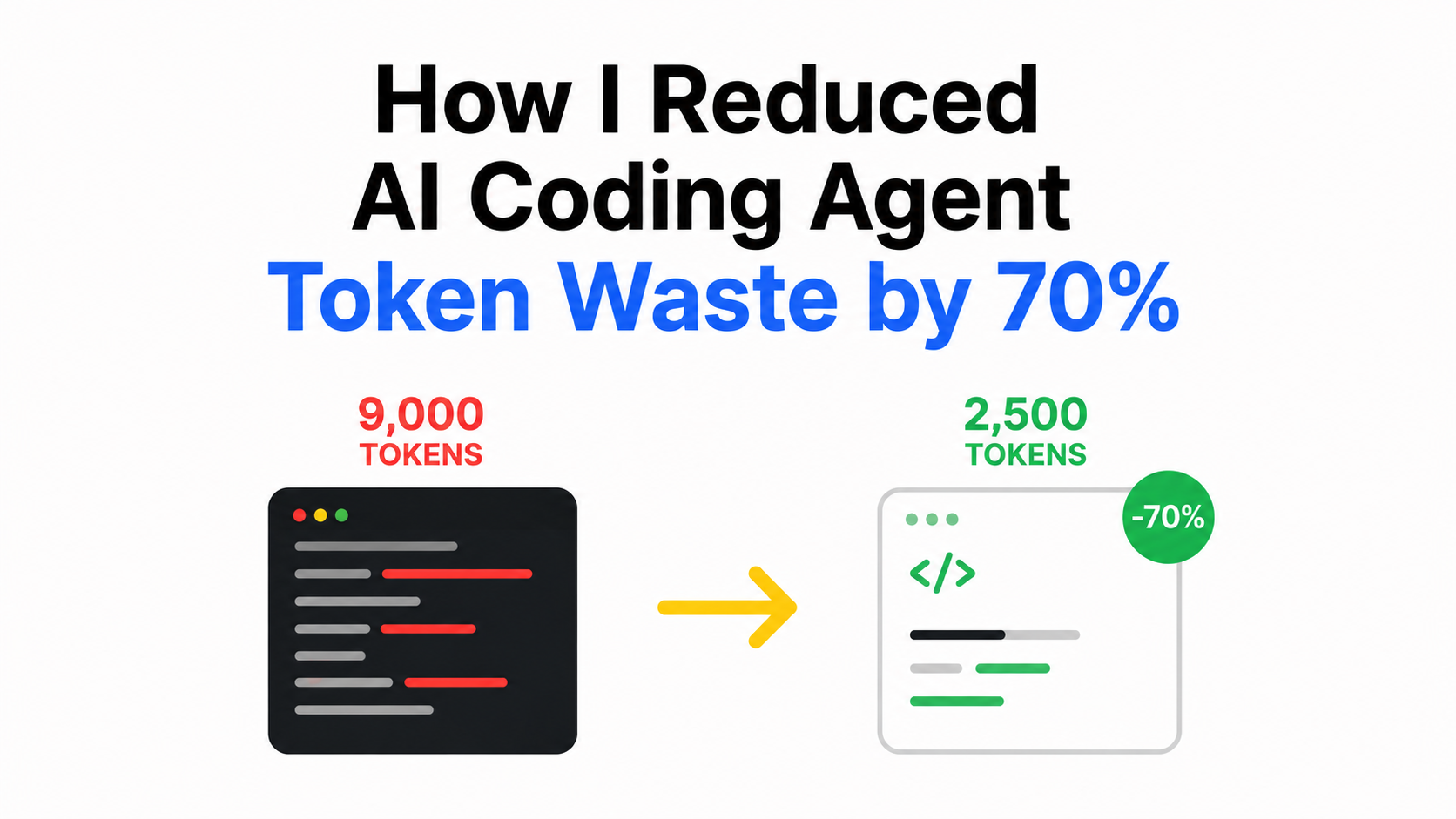
Reduction of 70% Of Tokens
The text search discovery step consumed approximately 1,500 tokens.
The graph lookup consumed approximately 50 tokens.
This represents a 97% token reduction for the discovery step.
The knowledge graph does not compress source code.
It reduces the data required to locate code.
After the tool located the function, the agent must read the function code.
The codebase-memory-mcp tool does not remove the 2,300 tokens of Go code.
It prevents the agent from reading the remaining 5,200 tokens in service.go.
The table shows token usage for the entire task:
| Approach | Tokens |
|---|---|
| Text search and full-file read | ~9,000 |
| Knowledge graph search and function snippet | ~2,500 |
| Token Savings | ~70% |
In thier officaial doc they mention with bigger codebase it will reduce more token exponencially.
How to Set Up MCP in Claude Code
Run the installer:
curl -fsSL https://raw.githubusercontent.com/DeusData/codebase-memory-mcp/main/install.sh | bash
Restart Claude Code.
Inside Claude Code, run:
/mcp
The output should show:
codebase-memory-mcp
  15 tools
Tell Claude:
Index this project
To enable the graph UI, run:
codebase-memory-mcp --ui=true --port=9749
Open:
http://localhost:9749
We can actually view the graph of the application to see what my LiveReview application graph looks like.

By the way, I am building LiveReview — a blast-radius aware AI code review built for your business-critical systems. Star us to help devs discover the project, give it a try, and share your feedback to help improve the product.
Compress Terminal Output with rtk
Even after using MCP, the agent still executes shell commands such as:
git status
git diff
git log
rg "foo"
go test ./...
docker ps
A large part of the output from these commands is unnecessary for the LLM.
For example, git status can contain:
On branch feature/review-events

Your branch is ahead of 'origin/feature/review-events' by 2 commits.

Changes not staged for commit:

  modified: backend/reviews/service.go
  modified: backend/reviews/handler.go
  modified: frontend/src/pages/ReviewDetail.tsx

Untracked files:

  backend/reviews/review_events.go
The useful information is only the list of changed files.
Similarly, go test ./... can return:
? github.com/foo/api [no test files]

? github.com/foo/config [no test files]

ok  github.com/foo/auth

ok  github.com/foo/users

--- FAIL: TestCreateReviewEvent

    review_events_test.go:87:

        Expected: 201

        Got: 500
The successful packages are not useful for diagnosing the failure.
This is where rtk helps.
How rtk Trims Shell Output
rtk is a different optimization from codebase-memory-mcp.
codebase-memory-mcp reduces code exploration.
rtk reduces command output.
rtk does not understand the codebase.
It reduces the amount of command output that reaches the LLM context.
For example:
git status       → compact status
ls/tree          → compact tree
cat/read         → smart reading
grep/rg          → grouped matches
git diff         → reduced diff
git log          → compact commits
pytest           → failures only
go test          → failures only
cargo test       → failures only
docker ps        → essential fields
The agent does not need to know that rtk is active.
Run the installer:
rtk init -g
For supported agents, a hook intercepts Bash tool calls.
When Claude runs:
git status
the hook changes the execution path.
rtk is not an LLM.
It is a Rust processor that transforms command output.
The CPU overhead is very small.
The expensive part is the model context, not the filtering.
I tested rtk on a grep search:
grep -C 2 "ProcessReview" .
The raw command output measured 6,065 bytes.
The rtk output measured 2,972 bytes.
This result demonstrates a 51% output size reduction.
The output retained all required search information.
rtk does not parse code structure.
It filters output text that the agent does not require.
One important limitation: rtk does not intercept Claude Code's native tools.
Those tools bypass the Bash hook.
However, shell commands such as cat, ls, git, and test runners all work with rtk.
Final Takeaway
codebase-memory-mcp and rtk attack different parts of the token problem.
codebase-memory-mcp reduces token usage by giving the agent precomputed structural relationships.
rtk reduces huge command output to small, useful output.
Together, these tools target two different sources of unnecessary context and reduce total token usage.
Your team's attention is limited, and the deluge of AI-generated code is making it harder to keep production stable while also shipping at high velocity.
I'm building LiveReview, a blast-radius aware AI code review built for your business-critical systems.
Instead of presenting every diff with equal emphasis, LiveReview scores each change by blast radius — how far its impact reaches through your call graph — so you can focus attention where it actually matters.
Spend code review effort where business risk is highest — not spread evenly across every diff.
Try LiveReview on your codebase: