How to Create Your Own AI Second Brain with Hermes That Works 24/7
Learn how to create and host your own AI second brain with Hermes that remembers, automates tasks, and works for you 24/7.

AI assistants can remember things about you now.
But they're still mostly confined to a chat window.
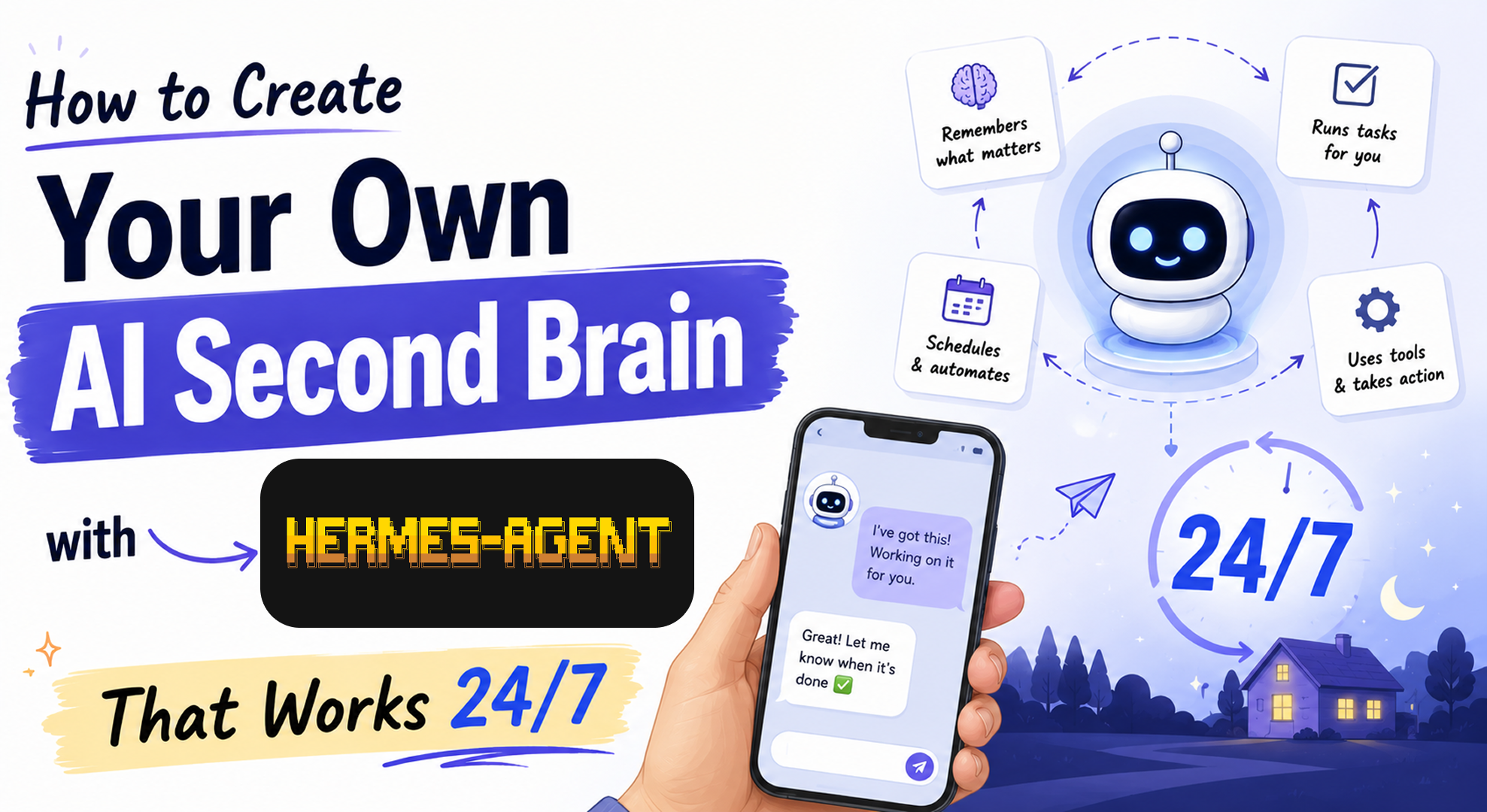
What if you could create your own AI second brain? One that remembers what you teach it, uses tools, runs scheduled tasks, and continues working even after you close the chat.
Imagine an AI assistant that can:
- Access your environment
- Use tools to perform actions
- Remember the things you want it to remember
- Run scheduled tasks you describe in plain English
- Take care of repetitive tasks you find boring
- Message you when tasks are complete
- And much more
That's exactly what Hermes Agent enables.
In this article, we'll set up Hermes, host it on a free cloud server, connect it to Telegram, and turn it into an AI second brain that works for you 24/7.
First let's see what is hermes agent first of all
What Is Hermes Agent?
Hermes Agent is an open-source personal AI agent developed by Nous Research.
Unlike a traditional chatbot, Hermes isn't limited to answering questions. It can use tools, access your environment, remember information across sessions, and perform actions on your behalf.
At a high level, here's how it works:
- You give Hermes a task.
- Hermes sends the task to an AI model.
- The model decides what needs to be done.
- Hermes executes those actions using the tools it has access to.
This allows the agent to do much more than generate text. It can interact with the world around it.
For example, you can ask it to:
Research this topic.
Run this workflow every morning.
Message me on Telegram when it's done.
Rather than acting as a coding assistant or living inside a single chat window, Hermes is designed to be a persistent personal assistant that can work across different parts of your digital life.
Once connected to a messaging platform like Telegram, you can talk to your agent from your phone just as naturally as you would from your computer. Since it's running independently, it can also continue working on tasks while you're asleep, away from your desk, or busy with something else.
What We'll Build
By the end of this article, you'll have a self-hosted AI second brain that you can message from anywhere.
You'll be able to:
- Chat with it from your phone using Telegram
- Ask it to remember things you'll want to revisit later
- Delegate repetitive tasks in plain English
- Schedule recurring jobs without writing automation scripts
- Let it continue working while you're busy or asleep
Here's a preview of the final result:

Host Your Hermes Agent for Free
Running Hermes locally is great for experimenting. But if you want to access it from multiple devices and let it keep working even when your computer is turned off, hosting it on a server is a much better option.
In this section, we'll deploy Hermes on Oracle Cloud's free tier and connect it to Telegram so it's always available.
1. Create an Oracle Cloud Account
Create a free Oracle Cloud account by visiting:
https://www.oracle.com/in/cloud/
Click "Try OCI for Free", then click "Start for Free" and complete the registration process.
2. Provision an Instance
Once your account is ready, create a new virtual machine using the following steps.
Click Compute and then Instances.


Click Create Instance.

Click Change Image.

Select Ubuntu.

Choose Canonical Ubuntu 24.04 LTS.

Select the VM.Standard.E2.1.Micro shape. This instance is included in Oracle Cloud's free tier and provides 1 OCPU and 1 GB of RAM.

Under Networking, create a new VNIC.

Download and save the generated private SSH key. You'll need it later to connect to your server.

Increase the boot volume if you need additional storage. I'm using 200 GB for this tutorial.

Once everything looks good, review the configuration and create the instance.
3. Assign a Public IP Address
After the instance has been created, you'll see it listed on the Instances page.

To make it accessible over the internet, we'll assign a public IP address.
Open the instance, navigate to the Networking tab, and click the attached VNIC.

Open the IP Administration tab, click the three-dot menu, and select Edit.

Assign an Ephemeral Public IP and click Update.

Your instance is now reachable over the internet, so we can SSH into it.
4. Connect to the Server
Use the private SSH key you downloaded earlier along with the instance's public IP address.
ssh -i <path-to-private-key> ubuntu@<public-ip>
5. Install Required Packages
Once you're connected, update the server and install a few basic packages.
Update the system
sudo apt update
sudo apt upgrade -y
Install some basic packages
sudo apt install -y curl git ca-certificates xz-utils build-essential
6. Install and Configure Hermes
Install Hermes by running:
curl -fsSL https://hermes-agent.nousresearch.com/install.sh | bash
source ~/.bashrc
The installer will launch a setup wizard.
Choose Quick Login.

Select the Free plan.
Next, you'll be asked to choose a language model.

For this tutorial, I'll use the free model:
poolside/laguna-s-2.1:free
Enable the tools you want Hermes to have access to.

For the terminal provider, select Local.

Next, you'll be asked to configure a messaging platform. Click Set up messaging now.

Choose Telegram.

Follow the on-screen instructions to connect your Telegram account.

You'll receive either a QR code or a link. Open it on your phone and follow the prompts to create and connect your Telegram bot.
Once the setup is complete, start the Hermes gateway:
hermes gateway run
Your bot should now be online.

That's it! Your personal AI agent is now running on the cloud and can be accessed directly from Telegram.
Now let's put it to work with a few practical examples.
Your AI Second Brain in Action
These are just a couple of examples from my own workflow, but once you start using Hermes, you'll probably come up with many more.
I like to think of my agent as an extension of my own memory. Whenever I come across something I don't want to forget or something I know I'll want to revisit later, I simply send it to Hermes.
Over time, I can also teach it about my habits, preferences, and workflows, making it feel more like a personal assistant than a generic AI chatbot.
Example 1: Remember Things for Me
Suppose I find an interesting article that I don't have time to read right now.
Instead of bookmarking it and hoping I'll remember to come back to it later, I can simply send it to Hermes and ask it to remind me periodically.
I can even ask it to summarize small parts of the article over time to encourage me to finally read it.
Here's an example:

In this case, Hermes suggests reminding me every Monday and Thursday. Since it's a conversation, I can easily adjust the schedule or ask it to do something different.
Example 2: Automate a Repetitive Task
I also like keeping up with interesting AI projects on GitHub.
Instead of manually checking GitHub Trending every day, I simply ask Hermes to do it for me.
Every day, it finds a trending AI repository and sends it to me on Telegram, giving me something new to explore without me having to remember or repeat the task.


These are fairly simple examples, but they demonstrate the core idea behind an AI second brain. Whenever you notice yourself repeating the same task or trying to remember something for later, there's a good chance you can delegate it to your personal AI agent instead.
Wrapping up
Hermes is much more than just another AI chatbot. It's a persistent AI agent that you can host yourself, teach over time, and access from anywhere.
The examples in this article are intentionally simple, but that's the point. You don't need to automate everything overnight. Start with the small, repetitive tasks that you find yourself doing again and again. As you continue using your agent, you'll naturally discover new ways to delegate work, remember important information, and automate parts of your daily routine.
This is only scratching the surface of what Hermes can do. It supports many more tools, integrations, and workflows that you can explore as your needs grow.
Hopefully, this article gave you a good starting point for building your own AI second brain. Give it a try, experiment with it, and see what parts of your life you can offload to an agent that works for you 24/7.